
Features
Custom Instructions
Customize VelvetYuzu to match your exact needs
💡 What is it?
Custom Instructions allow you to tailor VelvetYuzu to your specific needs. Transform any model into an expert that perfectly understands your context and expectations.
🚀 How to use them?
4-Step Setup
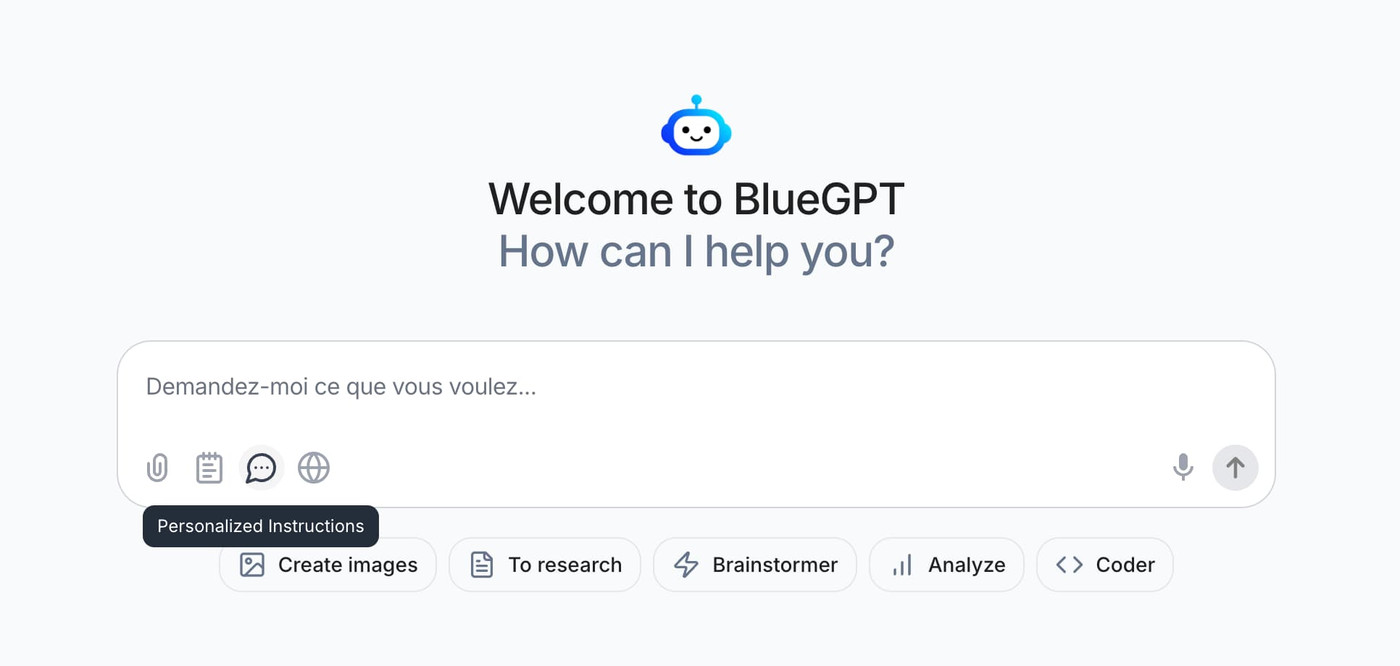
- Access Settings
- Via input bar: Click "Custom Instructions"
- Or via profile: Click your email in bottom left → Custom Instructions
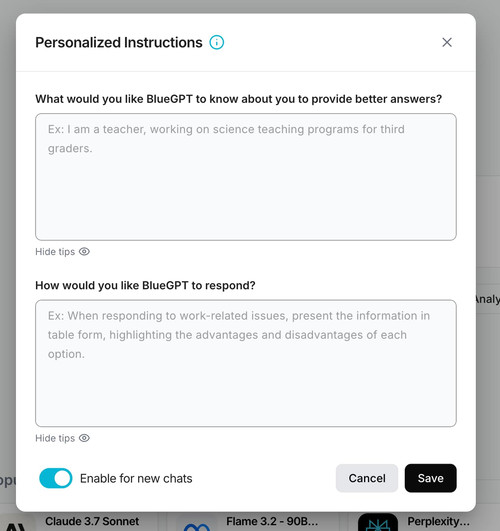
- Customize Your Experience
- Answer the two provided questions
- Follow the suggestions if needed
- Enable the Feature
- Toggle the switch to "Active"
- Save Your Preferences
- Click "Save" to apply changes
✨ Key Benefits
- Complete Customization: Adapt responses to your style and needs
- Consistency: Get uniform responses regardless of the model used
- Efficiency: Avoid repeating your preferences in every conversation
- Flexibility: Modify your instructions anytime
💡 Usage Tips
- Selective Activation: Disable instructions when you want standard responses
- Precise Instructions: Be specific in your requests for optimal results
- Regular Updates: Refine your instructions based on experience
- Test and Adjust: Experiment with different configurations to find the most effective one